FAQ: Publishing, Drafts, and Image Tips for Cloud Assembly
Utilising the Platform's Tools
Q: What Occurs When I Save an Article as a Draft?
Saving an article as a draft means it is not published publicly but can still be accessed by anyone with the direct link. This feature allows you to work on your content until you're ready for public viewing.
Q: What Happens When I Publish an Article Immediately?
Upon saving an article as published, it becomes accessible to public readers, sharing your insights and content with your audience instantly.
Q: How Does the "Publish Later" Option Work?
Choosing to publish an article at a later date schedules your content for automatic publication on your selected future date. Similar to drafts, these articles are accessible via their direct link before the set publication time.
Q: Adding a Banner Image to Your Article.
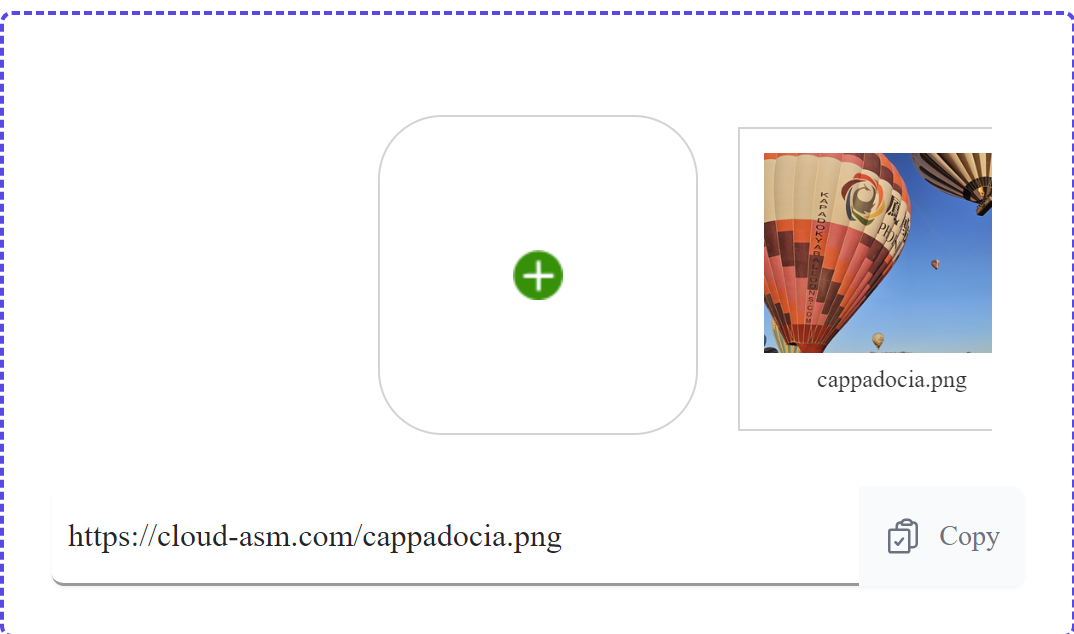
Navigate to the image upload section at the bottom of the page.
Select your desired image.
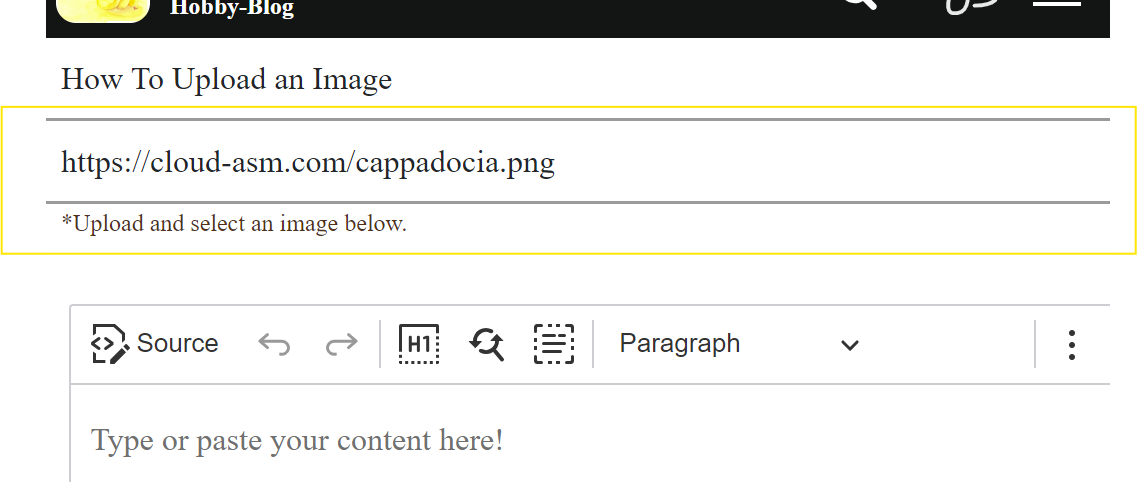
Click the "copy" button, then paste the provided link into the Article Image Banner field.
Q: Inserting Images into Your Article.
Upload your image in the section provided at the page's bottom.
Select your desired image and click "copy".
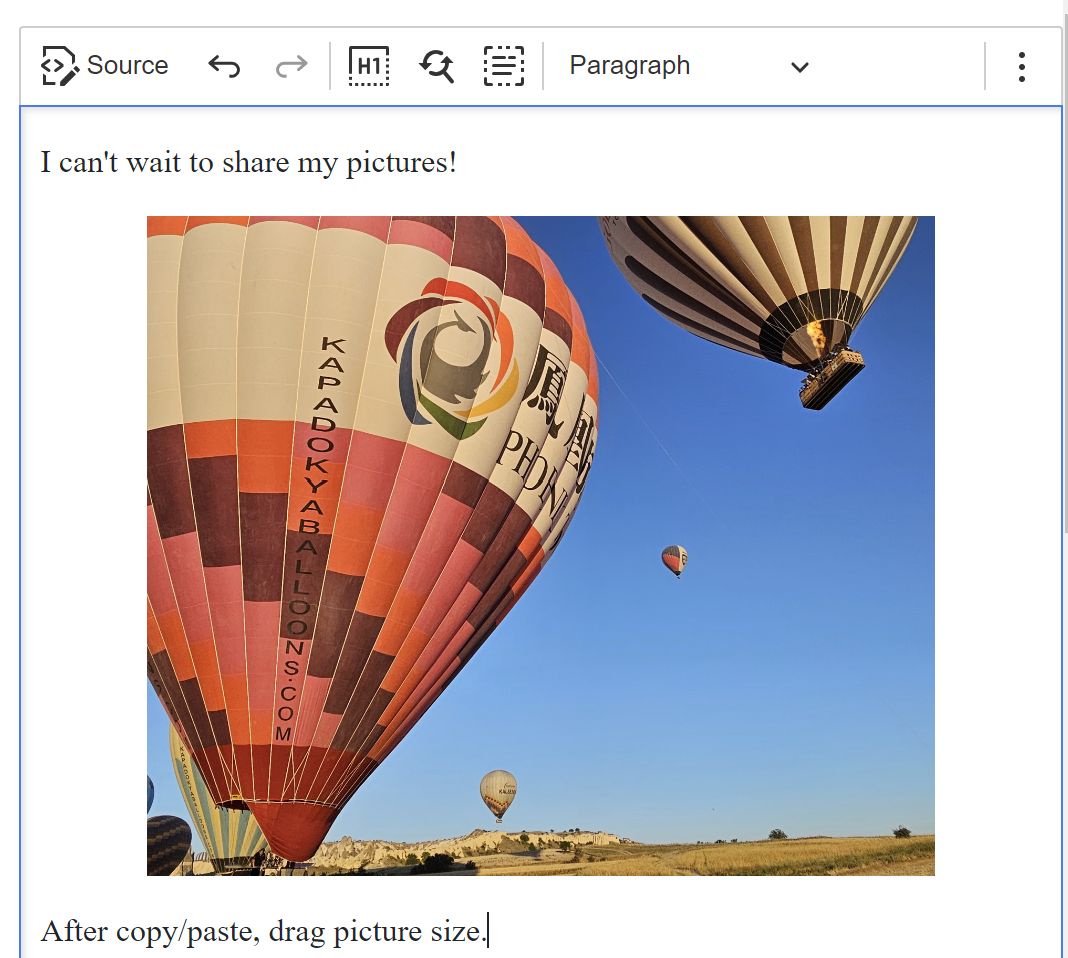
Paste the link at the desired insertion point in your article. Images can be resized post-insertion. For guidance on resizing, check this link.
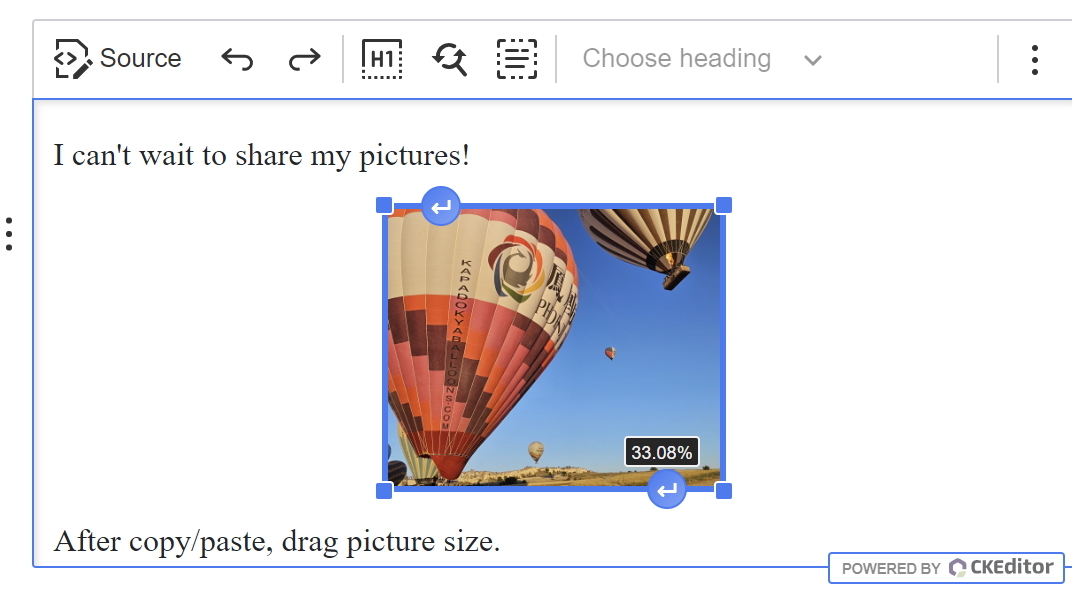
Q: Resizing an Image Within an Article
To resize an image, simply click on the chosen image and manually adjust the size by dragging the corners to fit your desired dimensions.
Q: Is It Possible to Upload Multiple Images Simultaneously?
Yes, the platform supports uploading multiple images at once.
We use cookies and related technologies to keep Cloud Assembly reliable, remember your preferences, improve travel guides, and measure performance.
You can accept all cookies now, or choose detailed preferences at any time.
Cloud Assembly
Cookie Preferences Center
We Respect Your Privacy
Cookies are small files that help us remember key settings, maintain secure sessions, and improve your reading experience on Cloud Assembly.
You can adjust your preferences below at any time. Disabling optional cookies may reduce personalization features, but core functionality will still work.
Essential Cookies
These cookies are required for security, login status, and core website features.
Essential cookies cannot be disabled.
Functionality Cookies
These cookies remember choices such as language preferences and selected settings, so your next visit is smoother.
They help us provide a consistent experience across travel and app support pages.
Ad User Data
With your consent, this data helps us and our partners deliver ads that are more relevant to your interests.
It reduces repeated irrelevant ads and improves promotion quality for travel-related offers.
Ad Personalization
This setting allows ad content to be tailored based on your interactions with our pages.
If disabled, you will still see ads, but they may be less relevant.
Ad Storage
This permission stores ad-related identifiers on your device to support campaign measurement and ad delivery.
It helps limit duplicate ads and improve campaign performance insights.
Analytics Storage
Analytics helps us understand which travel guides and support pages are most useful, so we can improve them.
We use aggregated interaction data and avoid unnecessary collection of personal information.
More Information
Have questions about cookies or consent controls? Review our privacy details below.